

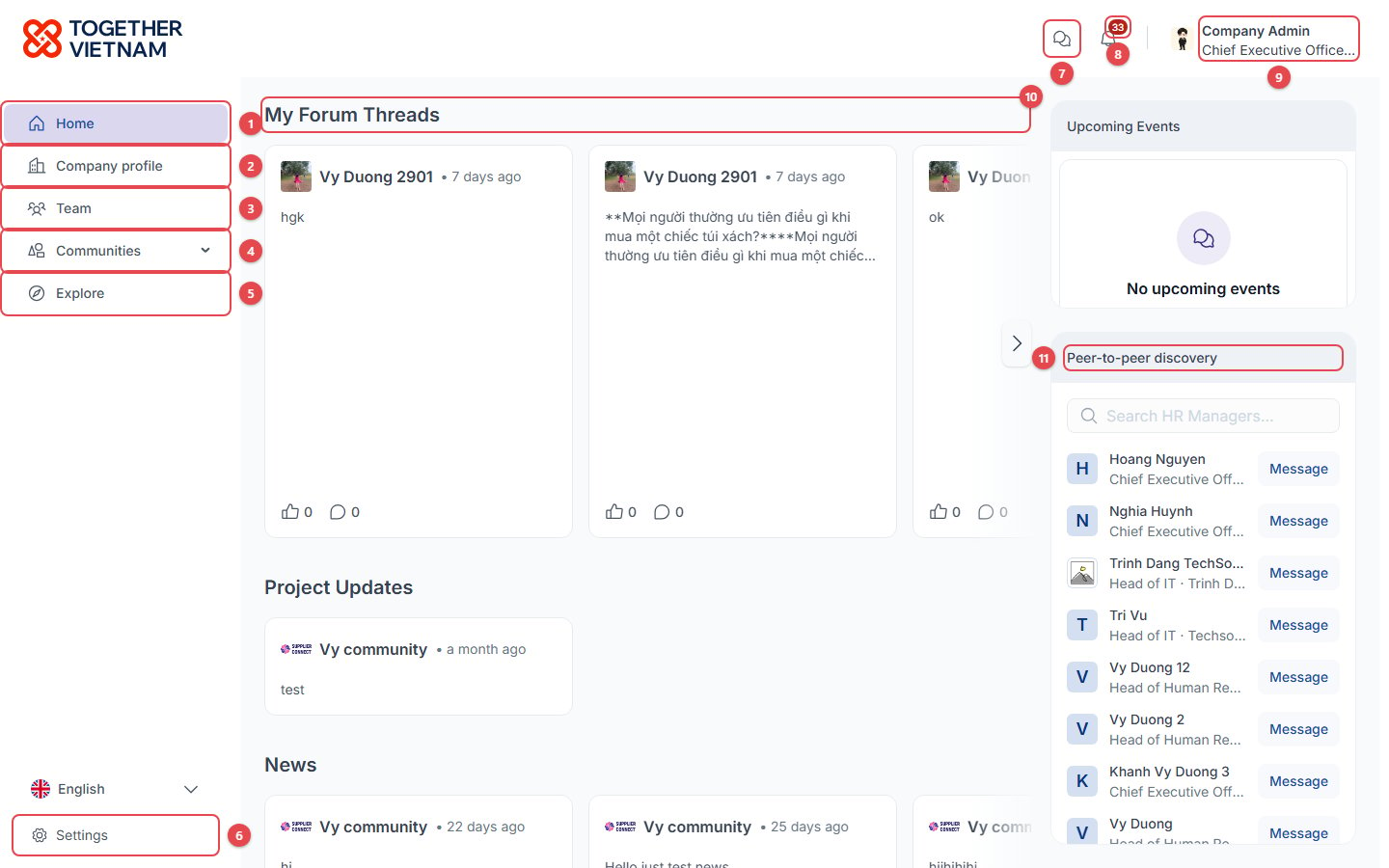
- Home: your personal feed. See Home feed.
- Company profile: your company’s profile. See Your profile and company profile.
- Team: your colleagues. Company admins can manage them here.
- Communities: click the arrow to list the communities your company has joined, and open one.
- Explore: discover and join new communities.
- Settings: Home feed layout and notification preferences. The Language switch sits just above it. See Settings.
- Chats: direct messages. See Chats.
- Notifications: the number shows how many are unread.
- Your name: opens the account menu (see below).
- My Forum Threads and the other feed sections (Project Updates, News, …). Use › to scroll through the cards.
- Peer-to-peer discovery: people with the same role as you. Click Message to start a chat.
Account menu
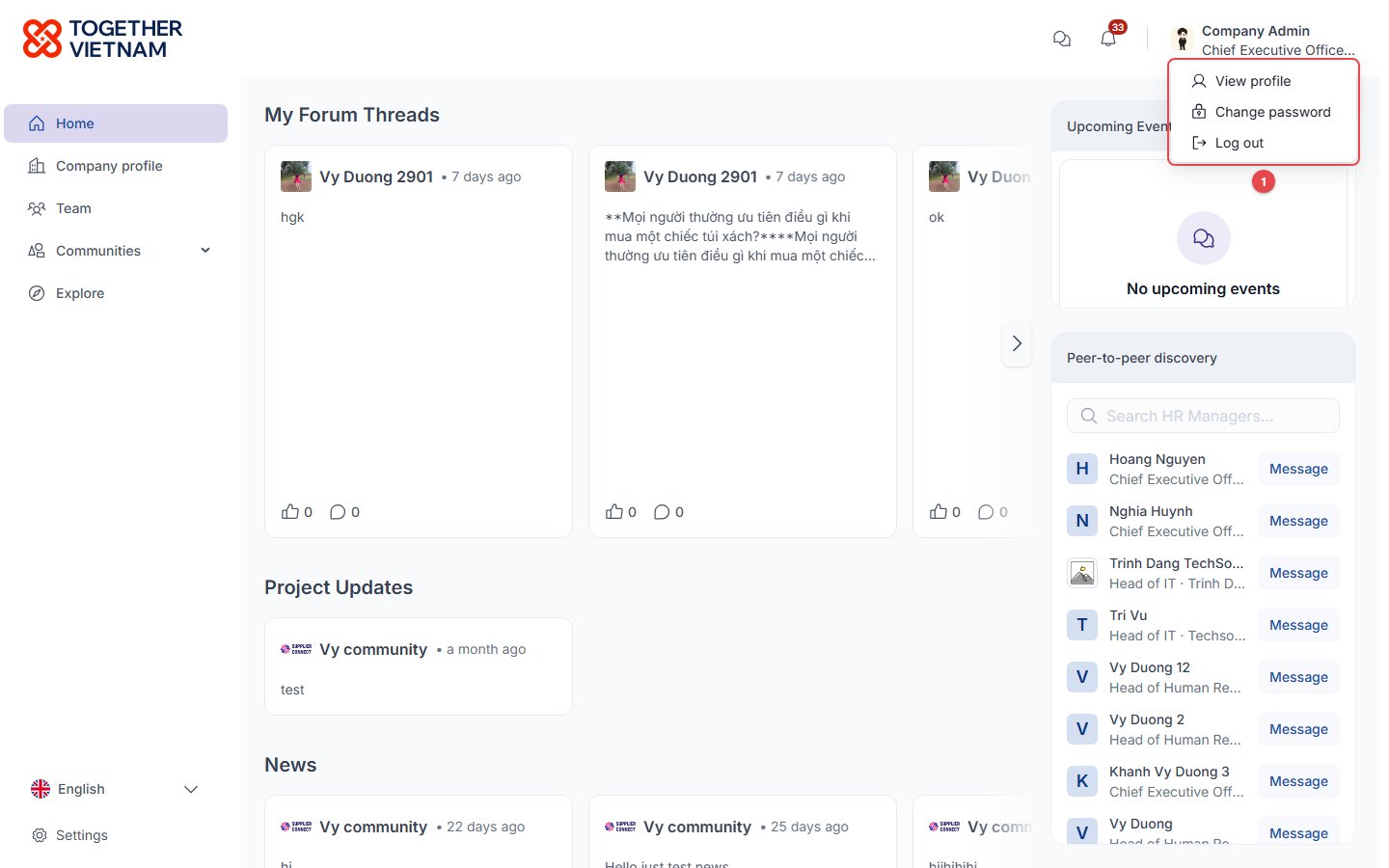
- Account menu: View profile, Change password, Log out.
Notifications
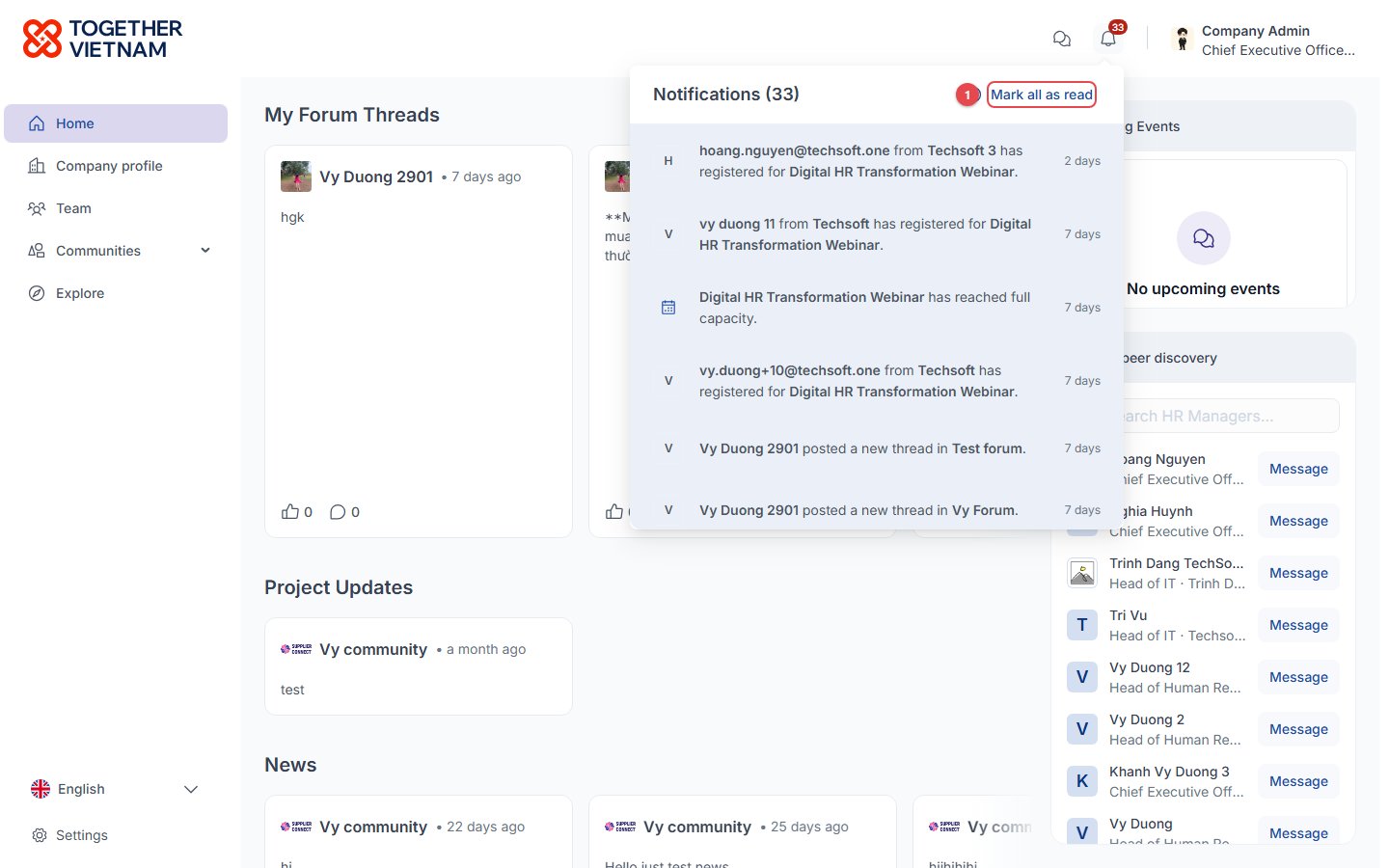
- Mark all as read: clear the unread count. Notifications cover events, forums, projects, join requests and team changes.