

Forums tab
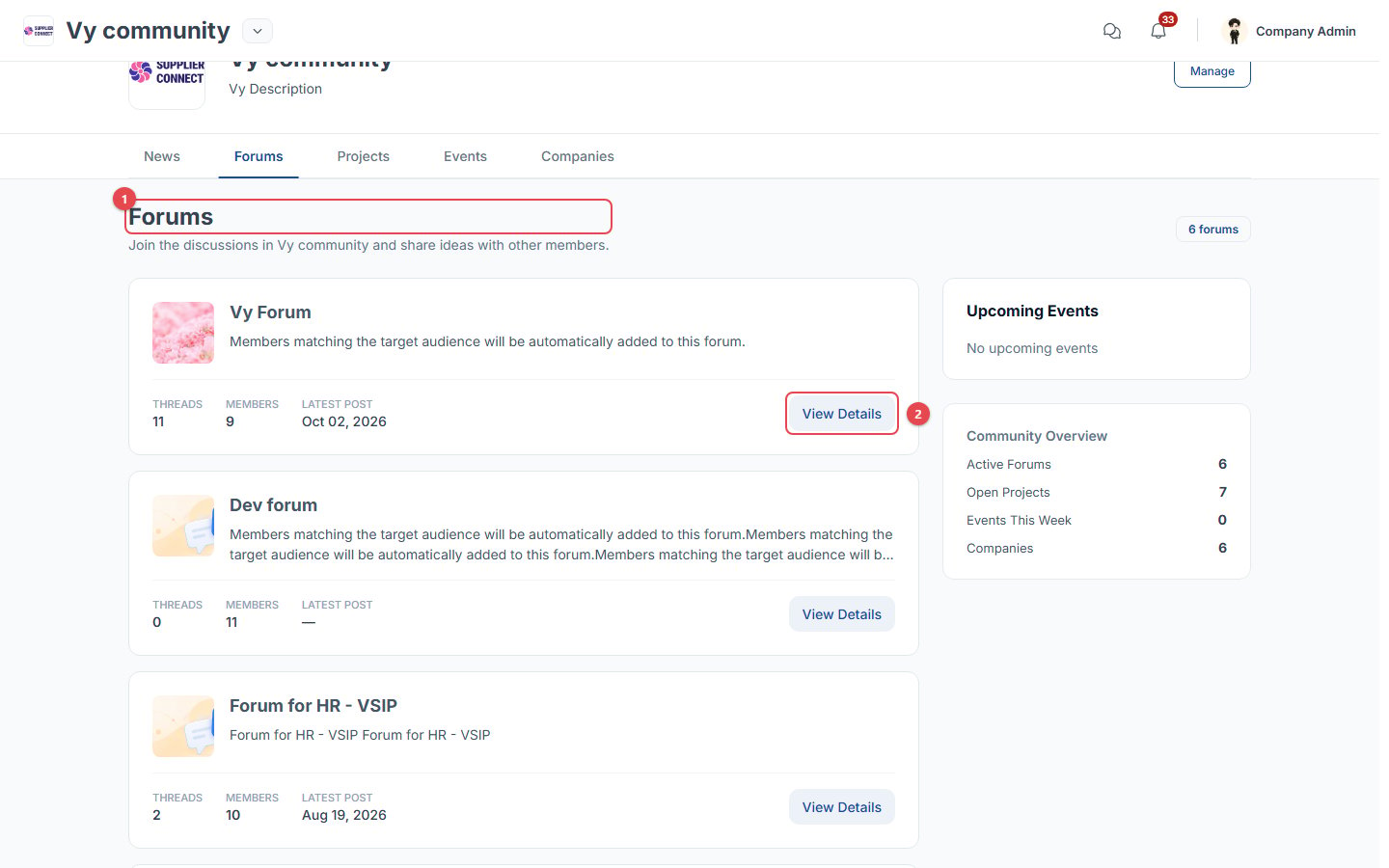
- Forums in this community, with their number of threads, members and latest post.
- View Details opens a forum. On forums you haven’t joined yet, the button is Join Forum, or Request to join if the forum needs approval. Members whose community group matches the forum’s audience are added automatically.
Forum page
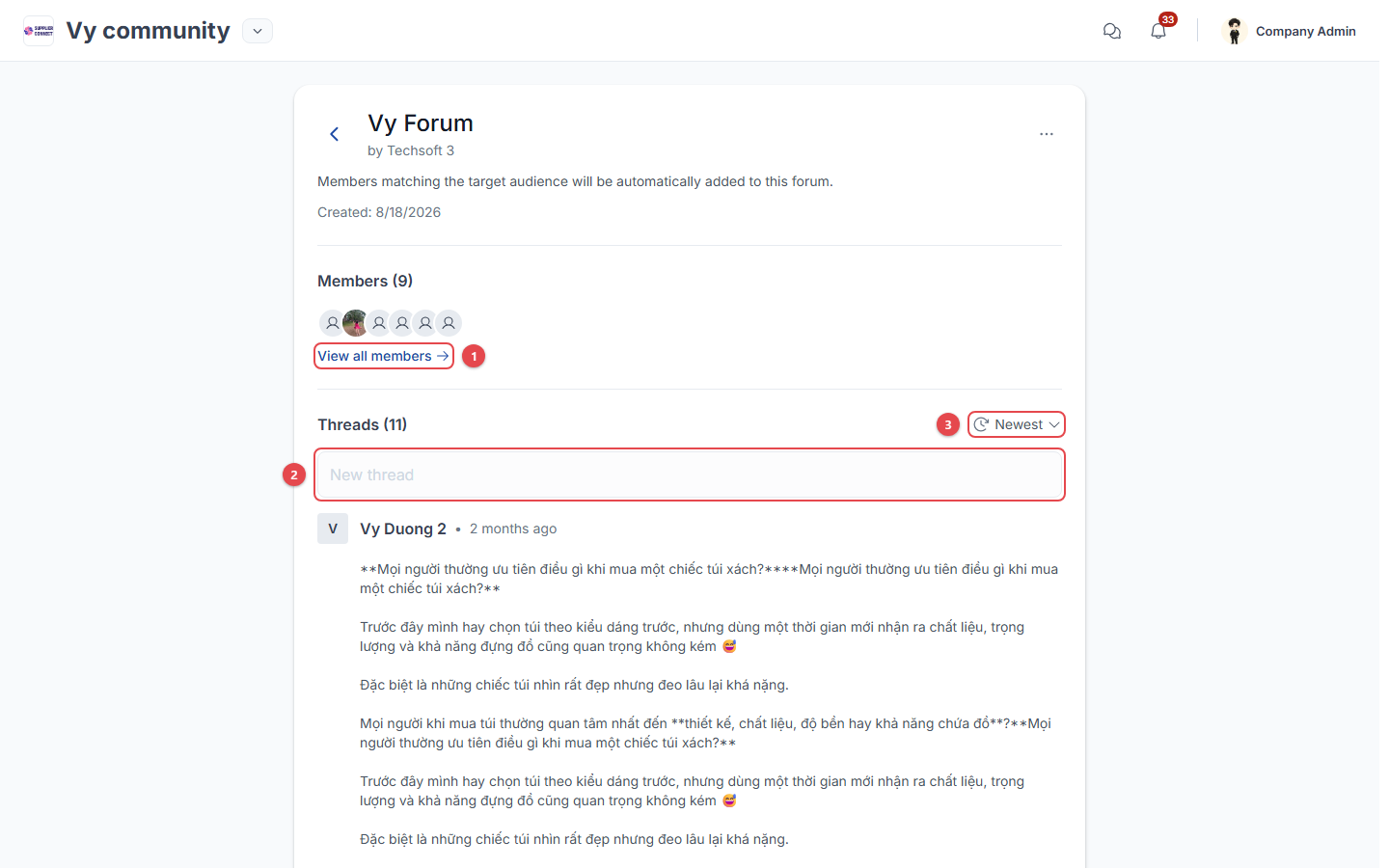
- View all members of the forum.
- New thread: post text with images, videos or files (max 10 MB each, up to 10 files of each type).
- Sort threads by Newest or Oldest.
Thread page
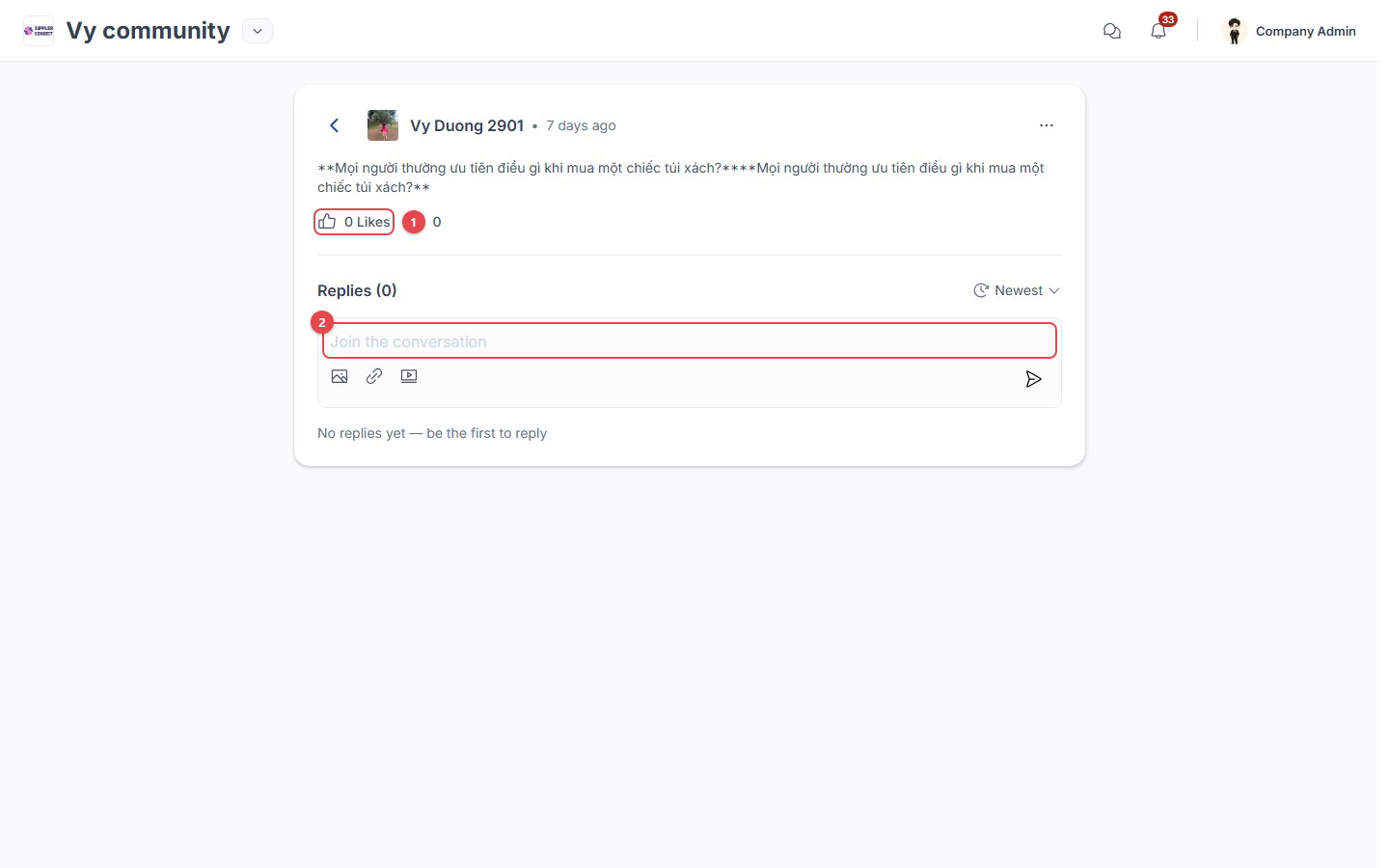
- Like the thread.
- Join the conversation: write a reply. You can also reply to a specific comment.